
Excel Dashboard Builder
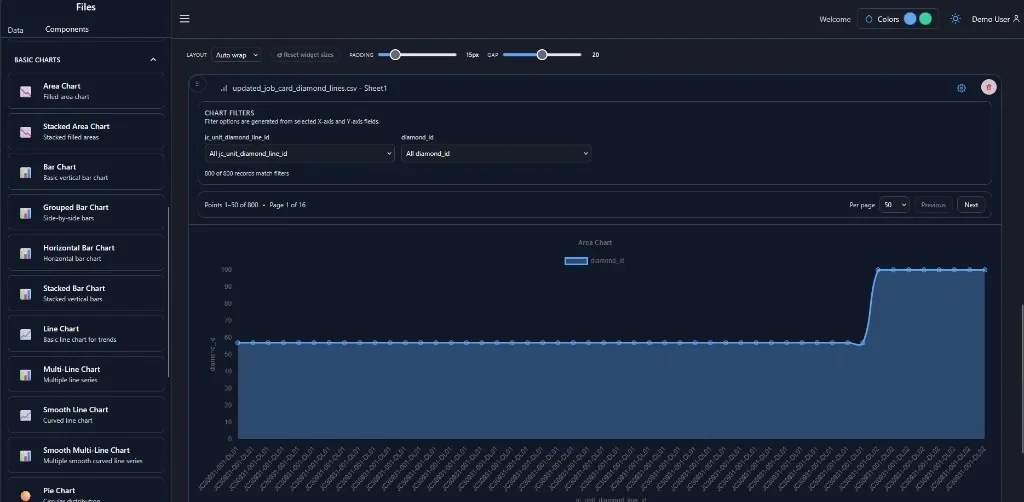
Drag-and-drop dashboard builder with widget palette, KPI/line/pie/funnel/table widgets, Excel data transforms, dynamic widget code export, and react-grid-layout.
- React 19
- Vite
- react-grid-layout
- react-dnd
- Recharts
- Tailwind CSS
- xlsx
- PrismJS
Dashboard builder — Area chart from Excel data
01
Problem
Analytics teams needed configurable dashboards without developer involvement for every KPI layout change — with Excel data as the primary input source.
02
Solution
Built an internal dashboard builder with drag-and-drop widget placement, Excel import transforms, code generation for dynamic widgets, and a palette of chart/table/KPI components.
03
Architecture
React 19 + Vite frontend with react-grid-layout, react-dnd, Recharts, Tailwind 4, xlsx parsing, and PrismJS code preview. Client-side widget config drives code export.
04
Business impact
Enables non-developers to compose analytics dashboards from Excel data, accelerating product demos and client customization.
Decisions
Technical decisions
- 01react-grid-layout for responsive dashboard grid system
- 02Client-side code generation over server-side rendering for export portability
- 03Widget config as JSON driving both preview and export
Features
Feature breakdown
- Drag-and-Drop Canvas
- Widget Palette
- Excel Transforms
- Code Export
- KPI/Chart/Table Widgets
- Keyboard Shortcuts
Responsibilities
- Built drag-and-drop dashboard canvas with react-grid-layout
- Implemented KPI, line, pie, funnel, and table widget components
- Developed Excel import transforms and dynamic widget code generation
- Created widget palette with keyboard shortcuts and row-based layouts
Challenges
- Generating maintainable React code from declarative widget configurations
- Handling diverse Excel formats in data transform pipeline
Performance considerations
- Lazy widget rendering on large dashboards
- Debounced layout save on drag operations
Lessons learned
- Declarative widget config + code export bridges low-code and developer extensibility
- Excel transforms need preview-before-commit UX for user confidence
Related engineering library